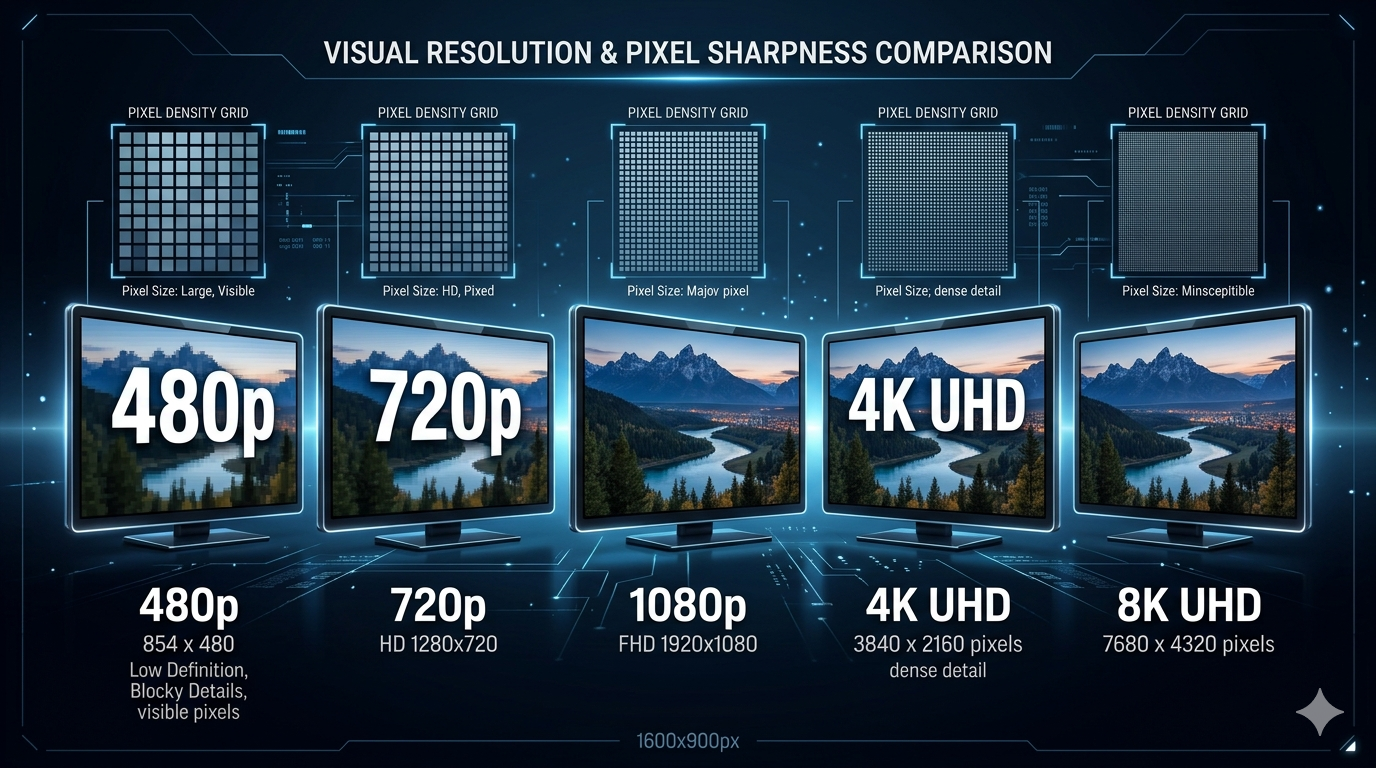
Video resolution determines how sharp and detailed your videos look. From 480p to 8K, each resolution has different use cases, file sizes, and quality levels. Choosing the right resolution affects storage, bandwidth, and viewing experience.
Quick Answer
For most uses in 2026: 1080p (Full HD) is the sweet spot. It offers excellent quality, reasonable file sizes, and universal compatibility. Use 4K for professional work or future-proofing. Avoid 8K unless you have specific professional needs.
Video Resolutions Explained
Resolution Basics
Resolution is measured in pixels (width × height). More pixels = sharper image but larger file size.
Common resolutions:
- 480p (SD): 854×480 (0.4 megapixels)
- 720p (HD): 1280×720 (0.9 megapixels)
- 1080p (Full HD): 1920×1080 (2.1 megapixels)
- 1440p (2K): 2560×1440 (3.7 megapixels)
- 2160p (4K): 3840×2160 (8.3 megapixels)
- 4320p (8K): 7680×4320 (33.2 megapixels)
Detailed Resolution Breakdown
480p (SD - Standard Definition)
Resolution: 854×480 pixels
Aspect Ratio: 16:9
Megapixels: 0.4 MP
File Size (10 min):
- Compressed: 100-200 MB
- Uncompressed: 2-4 GB
When to Use:
- ✅ Very slow internet connections
- ✅ Old devices
- ✅ When file size is critical
- ❌ Modern content (looks dated)
- ❌ Large screens (pixelated)
Quality: Acceptable on small screens (phones), poor on TVs/monitors.
720p (HD - High Definition)
Resolution: 1280×720 pixels
Aspect Ratio: 16:9
Megapixels: 0.9 MP
File Size (10 min):
- Compressed: 200-400 MB
- Uncompressed: 4-8 GB
When to Use:
- ✅ Streaming on moderate internet
- ✅ Mobile viewing
- ✅ Gaming (high frame rates)
- ✅ Video calls (Zoom, Teams)
- ❌ Professional video production
- ❌ Large screen viewing
Quality: Good for most uses, especially mobile. Minimum for modern content.
1080p (Full HD)
Resolution: 1920×1080 pixels
Aspect Ratio: 16:9
Megapixels: 2.1 MP
File Size (10 min):
- Compressed: 400-800 MB
- Uncompressed: 8-16 GB
When to Use:
- ✅ YouTube, social media
- ✅ Streaming (Netflix, Disney+)
- ✅ General video production
- ✅ Gaming
- ✅ TV viewing
- ✅ Most professional work
Quality: Excellent for 99% of uses. Industry standard in 2026.
Why it's the sweet spot:
- Sharp on all screen sizes
- Reasonable file sizes
- Universal compatibility
- Sufficient for most displays
1440p (2K / QHD)
Resolution: 2560×1440 pixels
Aspect Ratio: 16:9
Megapixels: 3.7 MP
File Size (10 min):
- Compressed: 800-1500 MB
- Uncompressed: 16-30 GB
When to Use:
- ✅ Gaming (high-end monitors)
- ✅ Professional editing
- ✅ YouTube (for quality enthusiasts)
- ❌ Mobile viewing (overkill)
- ❌ Slow internet (too large)
Quality: Noticeably sharper than 1080p on large monitors. Popular for gaming.
2160p (4K / Ultra HD)
Resolution: 3840×2160 pixels
Aspect Ratio: 16:9
Megapixels: 8.3 MP
File Size (10 min):
- Compressed: 1.5-3 GB
- Uncompressed: 30-60 GB
When to Use:
- ✅ Professional video production
- ✅ Future-proofing content
- ✅ Large screen viewing (65"+ TVs)
- ✅ Cinematic projects
- ✅ Detailed work (product demos)
- ❌ Social media (downscaled anyway)
- ❌ Slow internet
- ❌ Limited storage
Quality: Exceptional detail, especially on large screens. 4x sharper than 1080p.
Reality check: Most viewers watch on 1080p screens. 4K is often downscaled.
4320p (8K)
Resolution: 7680×4320 pixels
Aspect Ratio: 16:9
Megapixels: 33.2 MP
File Size (10 min):
- Compressed: 6-12 GB
- Uncompressed: 120-240 GB
When to Use:
- ✅ Professional cinema
- ✅ Future-proofing (extreme)
- ✅ Cropping/reframing in post
- ❌ General use (impractical)
- ❌ YouTube (overkill)
- ❌ Most displays (can't show 8K)
Quality: Incredible detail, but few displays support it. Massive file sizes.
Reality: 8K is overkill for 99.9% of users in 2026.
Comparison Table: Resolutions
| Resolution | Pixels | File Size (10 min) | Best For | Avoid For |
|---|---|---|---|---|
| 480p | 854×480 | 100-200 MB | Old devices | Modern content |
| 720p | 1280×720 | 200-400 MB | Mobile, streaming | Professional work |
| 1080p | 1920×1080 | 400-800 MB | Everything | Extreme detail needs |
| 1440p | 2560×1440 | 800-1500 MB | Gaming, editing | Mobile viewing |
| 4K | 3840×2160 | 1.5-3 GB | Professional, future | Social media |
| 8K | 7680×4320 | 6-12 GB | Cinema | General use |
Real-World Example: YouTube Channel
A tech YouTuber was filming in 4K for "better quality."
Setup: 4K 60fps, 10-minute videos
Problems:
- 8GB files per video
- 2-hour upload times
- 4-hour rendering times
- Most viewers watched at 1080p anyway
Solution: Switched to 1080p 60fps
Results:
- 1.5GB files (81% smaller)
- 20-minute uploads (83% faster)
- 45-minute renders (81% faster)
- Quality looked identical to viewers
Lesson: Match resolution to actual viewing conditions, not theoretical maximum.
Which Resolution Should You Use?
For YouTube
General content:
- 1080p 30fps (standard)
- 1080p 60fps (gaming, sports)
Professional/cinematic:
- 4K 30fps (future-proofing)
- 4K 60fps (high-end)
Why not 8K: YouTube supports it, but 99% of viewers watch at 1080p or lower.
For Social Media
Instagram/TikTok:
- 1080×1920 (vertical)
- 30 fps
Facebook:
- 1080p
- 30 fps
Twitter:
- 1080p or 720p
- 30 fps
Why: Social platforms compress heavily. Higher resolutions are downscaled.
For Streaming (Netflix, etc.)
Standard: 1080p
Premium: 4K (if available)
Reality: Most streaming is 1080p. 4K requires fast internet (25+ Mbps).
For Professional Work
Corporate videos: 1080p
Commercials: 4K
Cinema: 4K or 8K
Broadcast TV: 1080p or 4K
For Gaming
Competitive gaming: 1080p (higher frame rates)
Casual gaming: 1440p or 4K
Streaming: 1080p 60fps
Why: Frame rate matters more than resolution for competitive gaming.
What to Avoid: Resolution Mistakes
1. Recording in 4K for Social Media
Social platforms downscale to 1080p. You're wasting storage and processing time.
Solution: Record in 1080p for social media content.
2. Uploading 8K to YouTube
8K files are massive, take forever to upload, and 99.9% of viewers can't watch in 8K.
Solution: Use 4K maximum for YouTube. 1080p for most content.
3. Not Matching Resolution to Display
Recording 4K when your audience watches on phones (1080p screens).
Solution: Match resolution to where content will be viewed.
4. Ignoring File Size
4K videos fill hard drives quickly. 1-hour 4K video = 20-40GB.
Solution: Use 1080p unless you specifically need 4K quality.
5. Prioritizing Resolution Over Other Factors
Resolution isn't everything. Lighting, composition, and content matter more.
Solution: Focus on good lighting and content first, resolution second.
Frequently Asked Questions
Is 1080p still good in 2026?
Yes! 1080p is still the standard for most content. It offers excellent quality, reasonable file sizes, and universal compatibility.
Should I record in 4K or 1080p?
Record in 4K if:
- Professional/cinematic work
- Future-proofing content
- Need to crop/zoom in post
Record in 1080p if:
- Social media content
- YouTube (general)
- Limited storage
- Faster workflow needed
What resolution is best for YouTube?
1080p is best for most YouTube content. Use 4K for professional/cinematic videos or future-proofing.
Can you tell the difference between 1080p and 4K?
On large screens (55"+) from close viewing distance, yes. On phones, tablets, or from normal viewing distance, minimal difference.
Is 8K worth it?
No, not for 99.9% of users. Few displays support 8K, file sizes are massive, and the quality improvement over 4K is minimal.
What resolution do most people watch videos at?
Most viewers watch at 1080p or lower. Only 15-20% of YouTube views are at 4K or higher.
Does higher resolution mean better quality?
Not always. Lighting, camera quality, and compression matter more. A well-lit 1080p video looks better than a poorly-lit 4K video.
Related Tools You Might Need
-
Video Compressor — Compress videos at any resolution to reduce file size by 60-90%.
-
Video Converter — Convert videos between resolutions and formats.
-
Video Trimmer — Trim videos before compressing to save time and storage.
By Muhammad Hasnain Adam — Full-stack developer from Karachi, Pakistan. I built Free Media Tools to help everyone work with videos at any resolution, without expensive software or technical barriers.