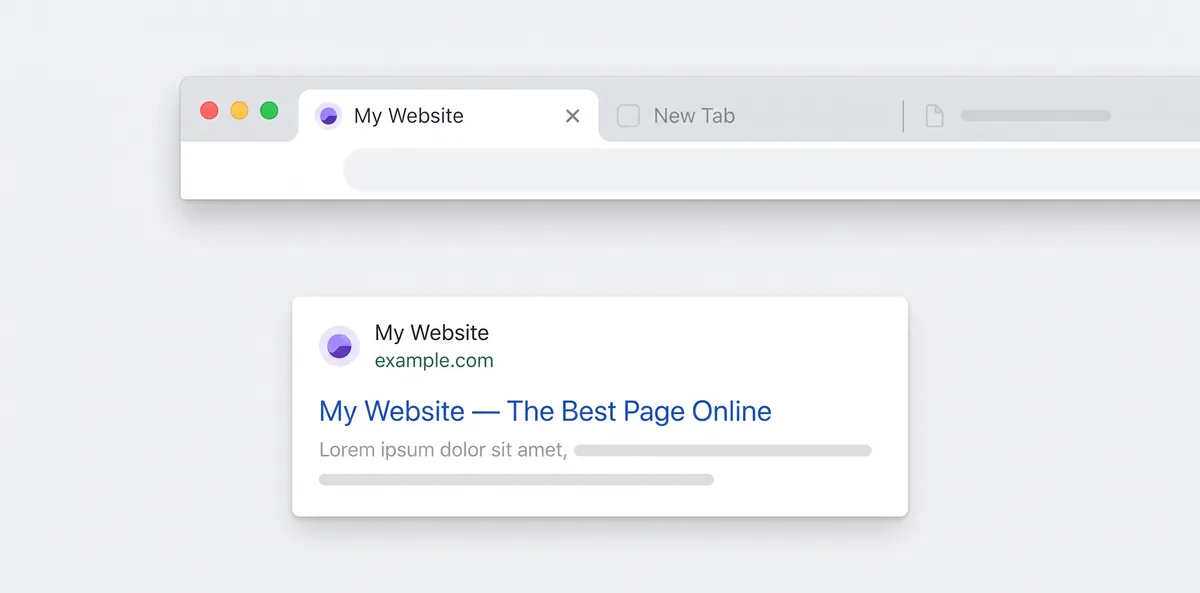
A favicon is the small icon in the browser tab, your bookmarks bar and, increasingly, next to your site's name in Google search results. Most people have a logo as a PNG and need a .ico file. Renaming logo.png to favicon.ico doesn't work properly: it's still a PNG with the wrong extension, and it holds only one size.
This guide shows how to turn a PNG into a real multi-size ICO file. It also explains which sizes you actually need and how to add it to your site so browsers and Google pick it up. I tested the ICO files described here by opening them with an image library and checking every size inside.
Quick Answer
- Open the Image Converter and upload your PNG logo (square, ideally 512×512 or larger, with a transparent background).
- Choose ICO as the output format and click Convert.
- Download the
.ico. It contains six sizes: 16, 32, 48, 64, 128 and 256 px. - Upload it to your site's root as
/favicon.icoand add<link rel="icon" href="/favicon.ico">to your home page's<head>.
The conversion happens in your browser, so your logo isn't uploaded anywhere.
What's Actually Inside an ICO File
An ICO file is a small container. It holds several copies of the same icon at different sizes, and Windows or the browser chooses whichever fits best. A browser tab needs 16 px (or 32 px on high-DPI screens). Windows Explorer's large icons go up to 256 px.
When I converted a 512×512 PNG logo (3.6 KB) with our converter, the resulting .ico was 11.1 KB and contained:
| Size inside the ICO | Bytes |
|---|---|
| 16×16 | 452 |
| 32×32 | 849 |
| 48×48 | 1,362 |
| 64×64 | 1,457 |
| 128×128 | 2,559 |
| 256×256 | 4,620 |
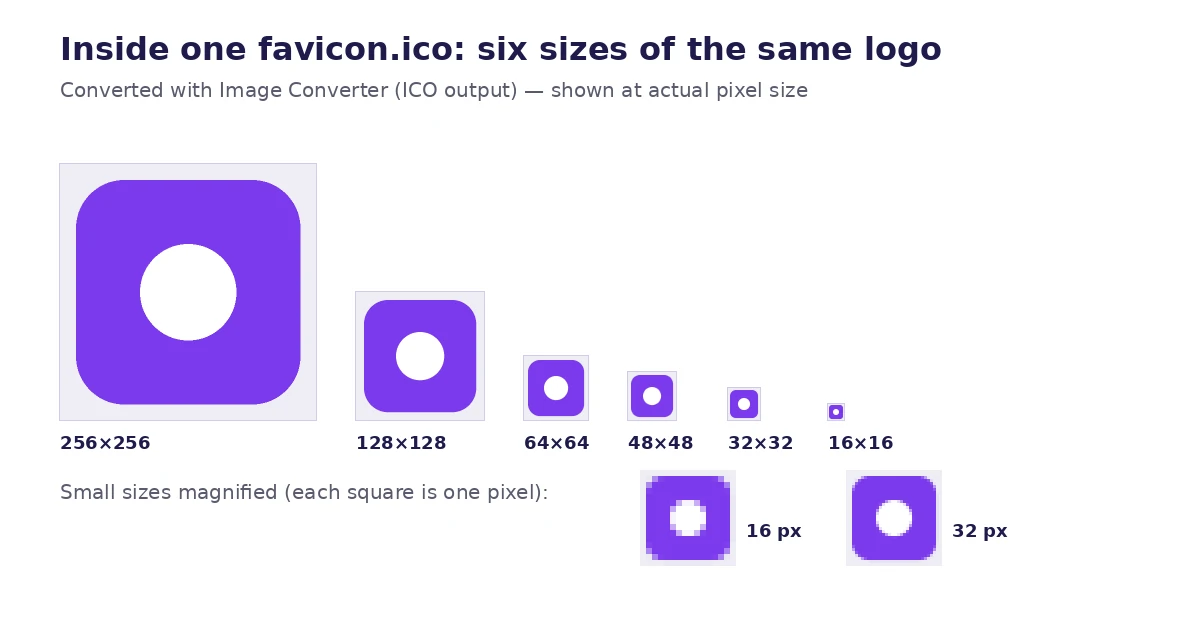
Each size is stored as a compressed PNG inside the ICO, which is why the file stays small. Windows has supported PNG-compressed icons since Windows Vista, and every current browser reads them. Unless you're targeting Windows XP, this is the format you want.
Pro tip: That's why searches like "png to ico 32x32" don't really need a separate tool. A properly built ICO already includes 32×32 and the other common sizes in one file.
Step-by-Step: Convert PNG to ICO
1. Start with the right PNG
- Square. Favicons are square. If your logo is wide, our converter fits it inside the square and fills the empty space with transparency. When I converted an 800×400 PNG, the 32×32 icon had the logo across the middle and transparent bands above and below. That works, but a wide wordmark becomes tiny. A square symbol or a single letter reads much better.
- Big enough. Start from at least 256×256. 512×512 is better. Scaling down looks clean, but scaling up makes a blurry icon.
- Transparent background. A PNG with transparency gives you an icon that sits cleanly on light and dark browser tabs. JPG has no transparency, so a JPG logo will keep its white box.
2. Convert
- Go to the Image Converter.
- Drop in your PNG. SVG, JPG and WebP logos also work.
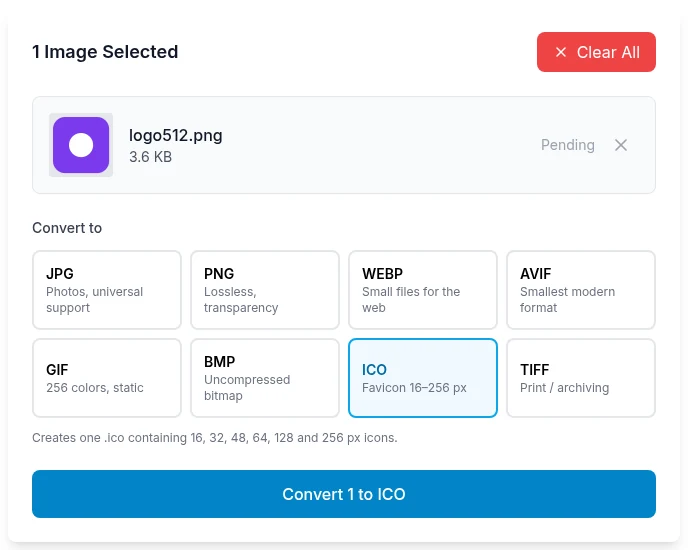
- Select ICO (the button labelled "Favicon 16–256 px").
- Click Convert, then download.
You can convert several logos at once and download them as a ZIP if you're making icons for more than one site.
3. Check the small sizes
Open the ICO, or zoom right into the browser tab after you install it. At 16×16 you have 256 pixels to work with. Thin lines, small text and taglines disappear. If your icon turns into a smudge at 16 px, simplify the source image (use the logo's symbol without the name) and convert again.
Adding the Favicon to Your Website
Plain HTML sites
Upload favicon.ico to the root of your site so it's available at https://yoursite.com/favicon.ico. Then add this inside the <head> of your pages, or at least your home page:
<link rel="icon" href="/favicon.ico" sizes="any">
Browsers have requested /favicon.ico from the root by default for decades, so the file in the root also works as a fallback when a page is missing the tag.
A fuller set (recommended)
The ICO covers browser tabs and Windows. Phones and installed web apps look for larger PNG icons:
<link rel="icon" href="/favicon.ico" sizes="any">
<link rel="apple-touch-icon" href="/apple-touch-icon.png">
<link rel="manifest" href="/manifest.json">
- apple-touch-icon.png — 180×180 PNG is the usual size. iOS uses it when someone adds your site to their home screen. Use Resize Image to make it from your 512 px logo.
- Web app manifest icons — Google's web.dev documentation says Chromium needs at least a 192×192 and a 512×512 icon in your manifest for an installable app.
WordPress, Next.js and site builders
- WordPress: go to Appearance → Customize → Site Identity → Site Icon and upload a square image (WordPress asks for at least 512×512). WordPress creates the sizes itself, so you upload a PNG here, not the ICO.
- Next.js (App Router): put
favicon.icoin theapp/folder and Next.js adds the tag for you. - Other builders (Shopify, Wix, Squarespace) each have a favicon setting in their theme or site settings. Most accept a PNG and create the sizes they need.
Getting Your Favicon into Google Search Results
Google shows favicons next to results on mobile and desktop. According to Google's favicon guidelines:
- The favicon must be square (1:1) and at least 8×8 px. Google recommends larger than 48×48 so it looks sharp.
- Supported formats include ICO, PNG, JPEG, GIF, BMP, TIFF and PPM.
- It's declared with a
<link rel="icon">tag (orapple-touch-icon) on your home page. - Googlebot must be allowed to crawl both the home page and the favicon file. Don't block it in
robots.txt. - There's one favicon per hostname.
blog.example.comcan have its own, butexample.com/blogcan't. - The URL should be stable. Don't rename the file every time you deploy.
Google also says recrawling can take anywhere from several days to several weeks. If you've just changed your favicon, request indexing of your home page with the URL Inspection tool in Search Console. It still won't update instantly.
Warning: A favicon that meets every guideline still isn't guaranteed to appear. If it hasn't shown up after a few weeks, check that the home page returns a 200 status, the <link rel="icon"> tag is in the HTML source (not only added later by JavaScript), and the favicon URL opens directly in a browser.
Using ICO Files on Windows
People also search for "how to convert png to ico windows 11", usually to change a desktop shortcut or folder icon. Windows wants a real .ico file for this:
- Shortcut: right-click the shortcut → Properties → Change Icon… → Browse and choose your
.ico. - Folder: right-click the folder → Properties → Customize → Change Icon… → Browse.
Because the converter includes a 256×256 image, the icon stays sharp even at Explorer's "Extra large icons" view.
Troubleshooting
My new favicon isn't showing
Browsers cache favicons very aggressively. Open your site in a private/incognito window, or visit /favicon.ico directly and hard-refresh (Ctrl+F5 on Windows, Cmd+Shift+R on Mac). The cached copy usually updates within a day.
The icon looks blurry
The source PNG was probably too small and got scaled up. Start from a 512×512 image. Also check the image is square. A non-square logo is fitted inside the square, which makes the actual artwork smaller.
There's a white box around the icon
The source had a white background, not a transparent one. Remove the background in your design tool, export as PNG with transparency and convert again. Don't start from a JPG.
Can I just use an SVG favicon?
Modern browsers accept <link rel="icon" type="image/svg+xml" href="/favicon.svg">, and an SVG stays sharp at any size. Keep favicon.ico alongside it as a fallback for older browsers, Windows features and tools that only look for /favicon.ico.
Frequently Asked Questions
What size should a favicon be?
Make the source 512×512 and let the ICO hold 16, 32, 48, 64, 128 and 256 px. Add a 180×180 apple-touch-icon and 192/512 manifest icons if you want home-screen and app support. For Google Search, it needs to be square, and larger than 48×48 is recommended.
Is renaming a PNG to .ico enough?
Many browsers will display it because they sniff the file contents, but it isn't a real ICO. It holds one size, and Windows icon pickers won't accept it. Converting takes a few seconds and avoids both problems.
How do I convert PNG to ICO without losing quality?
Start from a large, square, transparent PNG and convert to ICO. Each size inside the ICO is stored as lossless PNG, so the only change is the scaling down to each icon size. The 256 px version is a clean downscale of your original.
Do I need favicon.ico if I already have PNG icons?
It's still worth having. Browsers request /favicon.ico by default, Google lists ICO as a supported format, and it's the only format Windows uses for shortcut and folder icons.
Does the converter upload my logo?
No. The ICO file is built in your browser with JavaScript and the canvas API, so your logo stays on your device.
Related Tools You Might Need
- Image Converter — PNG, SVG, JPG or WebP to ICO, plus WebP, AVIF, PNG and more
- Resize Image — Make the 180×180, 192×192 and 512×512 PNG icons
- Crop Image — Crop a wide logo down to a square symbol before converting
- Compress Image — Shrink the larger PNG icons and other site images
- Image to Base64 — Embed a small icon directly in CSS or HTML
By Muhammad Hasnain Adam — Developer based in Karachi and the builder of Free Media Tools. I added ICO output to our converter because "rename it to .ico" kept producing broken favicons, and I checked the sizes inside every file it creates.