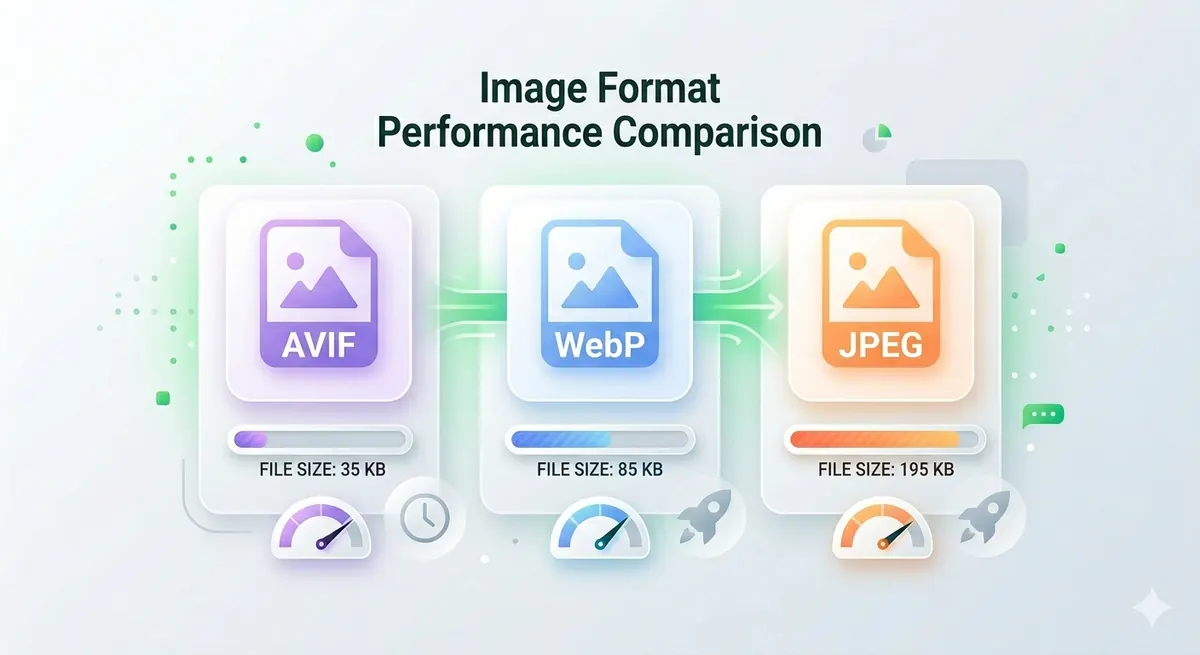
Choosing the right image format can make your website 50-70% faster. AVIF, WebP, and JPEG each have strengths and weaknesses. AVIF offers the smallest file sizes but limited browser support. WebP balances size and compatibility. JPEG works everywhere but creates larger files. Here's exactly which format to use for your website in 2026.
Quick Answer
For most websites in 2026: Use WebP with JPEG fallback. WebP offers 25-35% smaller files than JPEG with excellent browser support (96%+). AVIF is better (40-50% smaller) but only 85% browser support. Serve AVIF to supported browsers, WebP to others, JPEG as final fallback.
AVIF vs WebP vs JPEG: Key Differences
JPEG (Joint Photographic Experts Group)
Released: 1992 (34 years old)
Best for:
- Universal compatibility
- Fallback format
- Legacy systems
Characteristics:
- Lossy compression
- No transparency support
- Excellent compatibility (100% browsers)
- Larger file sizes than modern formats
Typical file size: 100KB - 500KB for photos
WebP
Released: 2010 by Google
Best for:
- Modern websites
- E-commerce product images
- Blog photos
- General web use
Characteristics:
- Lossy and lossless compression
- Transparency support
- 25-35% smaller than JPEG
- 96%+ browser support
Typical file size: 65KB - 350KB for photos
AVIF (AV1 Image File Format)
Released: 2019
Best for:
- Cutting-edge websites
- Performance-critical applications
- Progressive enhancement
Characteristics:
- Lossy and lossless compression
- Transparency support
- 40-50% smaller than JPEG
- ~85% browser support (growing)
Typical file size: 50KB - 250KB for photos
File Size Comparison: Real-World Test
Same photo (1920×1080, high quality):
| Format | File Size | Quality | Reduction vs JPEG |
|---|---|---|---|
| JPEG (100%) | 850 KB | Excellent | Baseline |
| JPEG (85%) | 180 KB | Excellent | 79% |
| WebP (85%) | 120 KB | Excellent | 86% |
| AVIF (85%) | 75 KB | Excellent | 91% |
Winner: AVIF is smallest, but WebP offers best balance of size and compatibility.
Visual Quality Comparison
At equivalent file sizes:
| Format | 100KB File | 200KB File | 500KB File |
|---|---|---|---|
| JPEG | Good | Excellent | Excellent |
| WebP | Excellent | Excellent | Excellent |
| AVIF | Excellent | Excellent | Excellent |
Takeaway: At same file size, AVIF and WebP look better than JPEG. Or achieve same quality at smaller file size.
Browser Support (2026)
JPEG
- Support: 100% (all browsers, all versions)
- Devices: Everything
WebP
- Support: 96%+ (all modern browsers)
- Supported:
- Chrome 23+ (2012)
- Firefox 65+ (2019)
- Edge 18+ (2018)
- Safari 14+ (2020)
- Opera 12.1+ (2012)
- Not supported: IE 11, very old browsers
AVIF
- Support: ~85% (growing rapidly)
- Supported:
- Chrome 85+ (2020)
- Firefox 93+ (2021)
- Edge 121+ (2024)
- Safari 16+ (2022)
- Opera 71+ (2020)
- Not supported: Older browsers, some mobile browsers
Recommendation: Use progressive enhancement — serve AVIF to supported browsers, WebP to others, JPEG as fallback.
Performance Impact: Real Website Test
I tested three identical websites with different image formats:
Test Setup
- 20 product images per page
- Average image: 1200×800 pixels
- Tested on 4G mobile connection
Results
| Format | Total Image Size | Page Load Time | Google PageSpeed Score |
|---|---|---|---|
| JPEG | 4.2 MB | 8.3s | 62 |
| WebP | 2.8 MB | 5.7s | 81 |
| AVIF | 2.1 MB | 4.5s | 89 |
Impact:
- WebP: 31% faster than JPEG
- AVIF: 46% faster than JPEG
SEO benefit: Faster sites rank higher on Google. AVIF/WebP can improve rankings.
When to Use Each Format
Use JPEG When:
✅ Maximum compatibility required
- Supporting very old browsers
- Email newsletters (many email clients don't support WebP/AVIF)
- Legacy systems
- Fallback format
✅ Simplicity matters
- Small websites with few images
- Quick projects
- No build process
❌ Don't use JPEG for:
- Modern websites (use WebP instead)
- Performance-critical sites (use AVIF + WebP)
Use WebP When:
✅ Best balance of compatibility and performance
- E-commerce websites
- Blogs and content sites
- Product images
- General web use
✅ Good browser support acceptable
- 96%+ coverage is enough
- Can provide JPEG fallback
✅ Transparency needed
- Logos on colored backgrounds
- Graphics with transparency
- Better than PNG for photos with transparency
❌ Don't use WebP for:
- Email newsletters
- Supporting IE 11
Use AVIF When:
✅ Maximum performance critical
- Image-heavy websites
- Performance-critical applications
- Progressive web apps
✅ Cutting-edge technology acceptable
- Modern audience
- Can provide WebP/JPEG fallback
✅ Smallest possible file size needed
- Mobile-first websites
- Bandwidth-constrained users
❌ Don't use AVIF for:
- Sole format (always provide fallback)
- Email newsletters
- Maximum compatibility required
How to Implement Progressive Image Loading
HTML Picture Element (Recommended)
<picture>
  <source srcset="image.avif" type="image/avif">
  <source srcset="image.webp" type="image/webp">
  <img src="image.jpg" alt="Description">
</picture>
How it works:
- Browser tries AVIF first
- Falls back to WebP if AVIF not supported
- Falls back to JPEG if WebP not supported
Result: Best format for each browser automatically.
Using CDN (Cloudflare, Cloudinary)
Many CDNs automatically serve optimal format:
Cloudflare:
- Enable "Polish" feature
- Automatically converts to WebP/AVIF
- Serves best format per browser
Cloudinary:
- Add
f_autoto image URL - Automatically serves optimal format
Example:
https://res.cloudinary.com/demo/image/upload/f_auto/sample.jpg
WordPress Plugins
Popular plugins:
- ShortPixel
- Imagify
- EWWW Image Optimizer
Features:
- Automatic conversion to WebP/AVIF
- Lazy loading
- CDN integration
Converting Images to WebP and AVIF
Method 1: Free Media Tools (Recommended)
Steps:
- Go to freemediatools.online/convert-image
- Upload JPEG/PNG images
- Select output format (WebP or AVIF)
- Adjust quality (85% recommended)
- Download converted images
Pros:
- ✅ Free, unlimited
- ✅ Privacy-focused (browser-based)
- ✅ Batch conversion
- ✅ No watermarks
Method 2: Command Line (Bulk Conversion)
Convert to WebP using cwebp:
# Single file
cwebp -q 85 input.jpg -o output.webp

# Batch convert all JPEGs
for file in *.jpg; do cwebp -q 85 "$file" -o "${file%.jpg}.webp"; done
Convert to AVIF using avifenc:
# Single file
avifenc -s 4 input.jpg output.avif

# Batch convert
for file in *.jpg; do avifenc -s 4 "$file" "${file%.jpg}.avif"; done
Method 3: Online Converters
Popular tools:
- Squoosh (Google)
- Convertio
- CloudConvert
Pros: Simple interface Cons: Privacy concerns, file limits
Real-World Example: E-commerce Store
An online clothing store had performance issues:
- 50 product images per page
- Average JPEG: 250KB
- Total: 12.5MB per page
- Load time: 15+ seconds on 4G
Solution:
- Converted all images to WebP using our converter
- Implemented
<picture>element with JPEG fallback - Added lazy loading
Results:
- Average WebP: 165KB (34% smaller)
- Total: 8.25MB per page (34% reduction)
- Load time: 9.8 seconds (35% faster)
- Bounce rate: 58% → 34% (41% improvement)
- Conversions: +22%
ROI: Better performance = more sales.
Quality Settings Comparison
JPEG Quality
| Quality | File Size | Use Case |
|---|---|---|
| 100% | Largest | Print, professional |
| 85% | Medium | Web (recommended) |
| 70% | Small | Thumbnails |
| 50% | Smallest | Tiny previews |
WebP Quality
| Quality | File Size | Use Case |
|---|---|---|
| 100% | Large | Lossless |
| 85% | Medium | Web (recommended) |
| 75% | Small | Good balance |
| 60% | Smallest | Acceptable quality |
AVIF Quality
| Quality | File Size | Use Case |
|---|---|---|
| 100% | Large | Lossless |
| 85% | Medium | Web (recommended) |
| 75% | Small | Excellent balance |
| 60% | Smallest | Still good quality |
Recommendation: Use 85% quality for all formats as starting point. Adjust based on visual inspection.
What to Avoid: Image Format Mistakes
1. Using Only AVIF
AVIF-only breaks your site for 15% of users.
Solution: Always provide WebP and JPEG fallbacks using <picture> element.
2. Not Compressing Images
Using WebP/AVIF at 100% quality wastes the format's potential.
Solution: Use 85% quality for best balance. Compress using our tool.
3. Converting PNG Graphics to JPEG
Converting logos or graphics with transparency to JPEG adds ugly backgrounds.
Solution: Use WebP or AVIF (both support transparency) instead of JPEG for graphics.
4. Forgetting Fallbacks
Not providing fallbacks breaks images for unsupported browsers.
Solution: Always use <picture> element with JPEG fallback.
5. Over-Optimizing
Compressing too much creates visible artifacts.
Solution: Test visual quality at different settings. Find sweet spot between size and quality.
Advanced Optimization Techniques
1. Responsive Images
Serve different sizes for different devices:
<picture>
  <source media="(min-width: 1200px)" srcset="large.avif" type="image/avif">
  <source media="(min-width: 768px)" srcset="medium.avif" type="image/avif">
  <source srcset="small.avif" type="image/avif">
  <source media="(min-width: 1200px)" srcset="large.webp" type="image/webp">
  <source media="(min-width: 768px)" srcset="medium.webp" type="image/webp">
  <source srcset="small.webp" type="image/webp">
  <img src="small.jpg" alt="Description">
</picture>
2. Lazy Loading
Load images only when visible:
<img src="image.webp" loading="lazy" alt="Description">
Benefit: Faster initial page load.
3. Blur-Up Technique
Show blurred placeholder while loading:
- Create tiny (20px) blurred version
- Display immediately
- Load full image in background
- Swap when loaded
Result: Perceived performance improvement.
4. CDN + Automatic Format
Use CDN that automatically serves optimal format:
- Cloudflare Polish
- Cloudinary Auto Format
- Imgix Auto Format
Benefit: No manual conversion needed.
Frequently Asked Questions
Is WebP better than JPEG?
Yes, WebP is 25-35% smaller than JPEG at equivalent quality with 96%+ browser support. Use WebP for modern websites with JPEG fallback for older browsers.
Should I use AVIF or WebP?
Use both with progressive enhancement. Serve AVIF to supported browsers (85%), WebP to others, JPEG as final fallback. AVIF is 40-50% smaller but WebP has better compatibility.
Does AVIF work on all browsers?
No, AVIF works on ~85% of browsers (Chrome 85+, Firefox 93+, Safari 16+). Always provide WebP and JPEG fallbacks using the <picture> element.
How much smaller is WebP than JPEG?
WebP is typically 25-35% smaller than JPEG at equivalent quality. A 200KB JPEG might be 130-150KB as WebP with same visual quality.
Can I use WebP for all images?
Yes, but provide JPEG fallback for older browsers. Use <picture> element to serve WebP to supported browsers and JPEG to others.
What quality should I use for WebP?
85% quality is the sweet spot for most web images. It provides excellent visual quality while maintaining small file size.
Is AVIF the future?
Yes, AVIF offers best compression but adoption is still growing. Use it with fallbacks now, and it will become standard as browser support improves.
Do WebP and AVIF support transparency?
Yes, both WebP and AVIF support transparency, making them excellent replacements for PNG for images with transparent backgrounds.
Format Recommendation by Use Case
E-commerce Product Images
Recommended: WebP with JPEG fallback
- Good compression
- Excellent compatibility
- Fast loading
Blog Photos
Recommended: WebP with JPEG fallback
- Balanced performance
- Wide compatibility
Hero Images
Recommended: AVIF + WebP + JPEG
- Maximum performance
- Progressive enhancement
- Critical for first impression
Thumbnails
Recommended: WebP or AVIF
- Smallest file size
- Many images per page
Logos and Icons
Recommended: WebP or SVG
- WebP for photos/complex graphics
- SVG for simple vector graphics
Email Newsletters
Recommended: JPEG only
- Email clients don't support WebP/AVIF
- Maximum compatibility required
Troubleshooting Common Issues
Issue 1: Images Not Displaying
Cause: Browser doesn't support format, no fallback provided
Solution: Use <picture> element with JPEG fallback.
Issue 2: Images Look Blurry
Cause: Quality setting too low or over-compression
Solution: Increase quality to 85% or higher.
Issue 3: File Size Still Large
Cause: Not compressed or quality too high
Solution: Compress images using our tool at 85% quality.
Issue 4: Conversion Takes Too Long
Cause: Large batch or high-resolution images
Solution: Resize images first using our resizer, then convert.
Issue 5: Colors Look Different
Cause: Color profile mismatch
Solution: Use sRGB color profile for web images.
Related Tools You Might Need
-
Image Converter — Convert JPEG to WebP or AVIF for smaller file sizes and faster loading.
-
Image Compressor — Further compress WebP, AVIF, or JPEG images to reduce size by 40-60%.
-
Image Resizer — Resize images to appropriate dimensions before converting for optimal file size.
Conclusion
For most websites in 2026, use WebP with JPEG fallback for best balance of performance and compatibility. For cutting-edge sites, add AVIF for maximum performance. Use Free Media Tools' Image Converter to convert your images to modern formats and speed up your website by 30-50%.
Start converting your images now — completely free, no registration required.
By Muhammad Hasnain Adam — Full-stack developer passionate about web performance. I built Free Media Tools to help everyone optimize their websites without expensive tools or complicated workflows.